
Wednesday, April 10, 2013
How did you break into design as a career? What is your education background? How much formal training do you have? I'm interested in hearing from those who are self-taught, as I can't attend college.
April Sadowski • I went to school for graphic design but I am self-taught when it comes to web. I learned everything on my own without books. I have a mechanical mind - I understand when I see a completed product and then cut it away until I understand how it was built.
January 1, 2011• Like
Follow Ken
Ken V. • Great. Thank you. Did you use any tutorials that you'd recommend? Did you get a degree? Where did you study?
January 1, 2011• Like• Reply privately• Flag as inappropriate
Follow April
April Sadowski • I have a degree from the School of Advertising Art (www.saa.edu). When it comes to web - like I said I learned by deconstructing websites (looking at the CSS and using browser developer tools to see how the CSS worked). I didn't view any tutorials.
January 1, 2011• Like
Follow David
David James • I too have a traditional art school basis, and a BA in graphic design, and built up my own small agencies using traditional techniques long before the internet was available. I started leaning HTML from the earliest days, using notepad and the original text based browsers. From then on it was just a case of continual learning, for the past 12+ years I have concentrated solely on web design & development, but you never stop learning. Currently looking into Objective C & development for the iPad/iPhone.
January 2, 2011• Like
Follow Traci
Traci Stoddard • Ken, I am self taught and mentored my some incredibly talented artists. My strong points are not the 'wow' factor that will make others post links, but I make a living and hope to improve upon my skills.
I did html when it was code strictly and design when we had to have plates burned. Deconstructed a few sites, but never did a full site design. Time for this woman to upgrade her education as far as digital goes to leave it to the pros. I am a print designer.
January 2, 2011• Like
Follow Blueline
Blueline G. • Degree in accounting, but pursued traditional illustration/graphic design on my own. Excited by how technology totally super-charges traditional creative skills. Traditional art classwork at Pennsylvania Academy of the Fine Arts (PAFA). For graphic design and web design, self taught and use Lynda.com and Adobe tutorials as a primers for learning new stuff (ok but tutorials tend to lack depth and are pricey). Full time job is in IT support - don't consider myself a code jockey, so I prefer to work on a platform that I can tweak for my clients (mostly Mom and Pops). For me it is Joomla! CMS all the way. RC 1.6 just released on 12/14. Very reliable, CSS/MySQL based site building platform that quickly enables solidly built, scalable, customizable site. Tons of plug in modules. Most major hosts even offer turn key installation tools for it now on their C-Panels Very strong OS community behind too. My 2 cents. Oh and if you don't use one, get a Wacom... like trying to be a carpenter without a hammer... word.
January 2, 2011• Like
Follow Blueline
Blueline G. • We have a Lynda account thru my day job so I don't pay for it... it's OK for a basic introduction to something you might not have used before, but the depth of the tutorials is not that great - I find myself continually send them e-mails stating this - ha. w3schools.com has some good tutorials (more in depth). I just downloaded Joomla! RC 1.6 but I have not set it up on my local XAMPP server yet to play with it. I found this on Joomla!'s Wiki for the new features in 1.6:
http://docs.joomla.org/What's_new_in_Joomla_1.6
As someone who is not a code jockey, Joomla! has worked really well for me. Here is one of my client web sites I built with it:
http://www.housemedicsllc.com/
January 3, 2011• Like
Follow Ken
Ken V. • I enjoy using Adobe Total Training, and have for almost three years. It isn't very expensive, but is very helpful.
January 3, 2011• Like
Follow Graham
Graham Conway • Hi Ken,
Lynda is pretty good and I also learnt so much about CSS and coding, though I have to say at times I would much rather just design, but thats part of it in this day and age.
I have worked with some seriously great designers when I was freelancing all without any training and they got most of their skills on the job. As far as I am concerned and this is only my opinion, if you have a visual brain, know the basics of layout, type and pay attention to detail then you are half way there, I also learnt every mac skill in my first job 16 years ago, though I have to say I was petrified of going near a Mac but had an eye for creative and design...
January 3, 2011• Like1
Click to see who liked this comment.
Follow Kayode
Kayode Olorunfemi • Got a degree in town planning (never worked a day with it) then I noticed all my friends hassling me to help with their logo design so I went for a diploma in graphic design and started out as a graphic designer. While working in a collective one of the web designers kept on telling me to learn HTML which used to scare the hell out of me, still does actually, but was forced to learn when web designers kept saying my ideas could not be pixel perfect (now developers say that to me). I am more stubborn than smart which makes me stick with something till I grasp it; this helped me transition into web design with all the XHTML, CSS I hard to learn. Lynda.com has been invaluable for getting the technical knowhow as I learn from being shown rather than being told, I know their courses are mostly basic but thats why I like it because I need enough to gain my interest and I can then learn the rest by banging my head around the place.
January 3, 2011• Like
Follow Khurrum
Khurrum Waheed • I have a degree in Mechanical Engineering and a Master's degree in Engineering Management. I learned Graphic designing through tutorials on utube and other web sources and read some books about basics of graphic designing. I am still learning and making myself better. I guess its the determination to learn that gets you through the most difficult initial learning stages. Once you start making something on your own, it feels really great.
January 3, 2011• Like
Follow Alex
Alex Wijnen • I switched careers in my mid-twenties and got a two-year degree from our local community college but really only did one year full-time (I was able to transfer some basic stuff like math and whatnot from my 4-year degree).
During that one year, I took only one software class (Freehand) and learned the other programs myself, especially InDesign (learned Quark first, then had to make the transition to InDesign).
Where I learned the most, though, was on the job! I was able to turn my internship into my first full-time design job and from there I slowly built my portfolio. Then 8 years ago (after working at agencies and studios for 8 years), I took the leap and went freelance.
January 3, 2011• Like
Follow Ken
Ken V. • This is great. Very interesting indeed. Please keep it up!
January 3, 2011• Like
Follow Emmanuel
Emmanuel Turner • My undergrad study was in IT. I was working in IT when I started grad school part time. I completed my Master in Computer Graphic Design at the Wanganui School of Design in New Zealand.
Since I was seven I've taught myself how to do the technical side of computer programming. I got into the web in the mid-90's, and pretty much learnt whatever technology I needed to get the job done. Although I'd been doing computer games and multimedia stuff since I was a kid I did recognise that I needed help aesthetically. Going to design school gave me that. Luckily I was able to do that part-time via a scholarship.
If I was to get the aesthetics of design down without going to design school.... I think the best thing would be to find a mentor or two that can critique your work. You obviously can handle the technical side of things fine on your own.
January 3, 2011• Like
Follow Jeff
Jeff Vieira • My degree is in Fine Arts but an internship working for friends got me in the door. I learned all the software on the job and on my own. The industry practices I picked up from colleagues. Color theory, concept and composition all came from my education. But having said that, if you're a good book learner that can be learned on your own as well. What you'll miss out on though is the people. Many of my professional colleagues I met in college and without them it would have been much harder to get work.
January 4, 2011• Like
Follow Stan
Stan Alachniewicz • Ken,
I studied Art with an option in multimedia at CSU Hayward. I graduated, but my real education came from jobs and studying on my own. I do recommend books, tutorials anything you can get your hands on. Everything helps. There is so much to learn in today's web design world that you are going to need all the help you can get. Simply learning HTML and CSS is not enough. There are so many more things like HTML5, CSS3, Flash, JavaScript, JQuery, I could go on.
You can't know everything, but the more you know, the more jobs you are qualified for. I don't think employers look at a degree. I think they look at your portfolio and the quality of your work, so don't worry about not having an art degree.
January 4, 2011• Like1
Follow Arthur
Arthur Nickerson • I am fairly new to web designing. With an IT background, I embarked on a journey to learn everything I could about web design and development. I learned almost everything from library books and youtube videos. First, I identified technologies that I felt would be beneficial to me as a web designer and set out to learn them. These included HTML, CSS, PHP, Javascript, Photoshop, MySQL and just recently added Joomla. As I read and watched lots of books and videos, I solidified the knowledge I gained by building practice websites and applying new features and techniques as i acquire them.
January 5, 2011• Like
Follow Ken
Ken V. • I'm interested in innovative ways to parley design skills into a career, without a degree; where do I start and how do I apply my skills with graphics without a formal background? Has anyone switched careers without a college degree; and if so, how?
January 5, 2011• Like
Follow Larry
Larry Kaminsky • I come from a design background as well. I am currently back in school, studying Digital Media/Web Design. Last year Chicago started a program, called Chicago Career Tech. Chicago Career Tech is an innovative job retraining program that integrates classroom training, employer and service-based learning with a business and nonprofit organization to provide unemployed middle-income workers with the skills necessary for high-demand technology-based careers.
I was one of the fortunate ones to get into the program. They recieved 1600 applications and wound up picking 350 to participate. It is six month, six days a week program. In the end, I will be cetified in Adobe Dreamweaver and Flash. Although the program can be a bit of a grind, in the end, I am getting a free education that will set me on the right path for more opportunities in the years to come.
January 5, 2011• Like
Follow Stan
Stan Alachniewicz • Ken,
You're probably going to have to start low. You need a portfolio more than anything to get hired by companies, and if you don't have one, you need to build one. Start by doing pro bono work for local schools or maybe charities that need design work. It sucks having to work for free, but you need to do some stuff to show that you have the skills employers want. Sure you can make stuff up and do creative fantasy projects, ad campaigns for products that don't exist. You can probably even make some nice stuff, but working with real clients, even pro bono, will teach you valuable lessons you can't learn working by yourself, in a vacuum.
Also, and this important, look for design competitions. These are competitions where multiple applicants submit a design and the best design is chosen as a winner. Usually you get some kind of prize, sometimes a cash prize. This is important because you make money and you have valuable work to put in your portfolio. Plus, you can see how you measure up against the competition. Look on Elance for freelance work and sometimes design competitions.
January 5, 2011• Like
Follow David
David James • I find it hard to believe anyone would recommend wasting time on producing work for competitions on the offchance of winning a "prize" as a way of enhancing credibility as a professional. Most professionals I know are totally averse to doing free or "spec" work, it's demeaning.
January 5, 2011• Like1
Click to see who liked this comment.
Follow Stan
Stan Alachniewicz • David,
If one has no experience whatsoever it is a way of getting some. I'm not saying if you have experience you do free work, I never would. But it sounds like the OP has none and so I am suggesting ways of maybe building his portfolio, like student work. Otherwise good luck getting a job. The job market is very competitive right now so without a portfolio I don't see how he can get a job. Do you have any suggestions?

Monday, April 8, 2013
What are some of the BIGGEST LIES you have HEARD as a designer?
We have all heard things from potential clients, current clients, and even other designers. The question is, what are some of the incredible lies you've heard? I have a few I could share...
April Sadowski • "It will get you exposure"
"It will take you five minutes"
"It's simple"
6 days ago • Like
Jake Miller • Oh I like that! One of the things that I want to accomplish is to help shed light on what it is we do. As a graphic designer, 5 minutes is like taking a breathe. There is so much that goes on behind the scenes that clients do not see. On the other hand, the "it will get you exposure" comment can go both ways. I know designers have said that about a specific project only to have it fail.
Rich Appenzeller • I have a couple of minor changes....
David Garcia • "I really can't afford this. Can you do it for free?" Then see in Facebook how they live a high maintenance life style and take vacations on a regular basis.
Coone * • Art-gallery owner who wanted me work for free: "No, I cannot pay you for this. However, I'm giving you an opportunity to get some field experience... you can use the results in your own portfolio of course. No problem."
Ungrateful designer: "If I wanted a piece of art from your gallery and tell you I have no money but you can regard me hereby as a free shopping window, would I be welcomed by you? Would you take me seriously as a customer?"
Art-gallery owner who wanted me work for free: ... (silently walks to elevator, leading to luxurious loft)
It's appalling how generous they can be...
Jake Miller • @Rich, Whenever I hear that one it makes me laugh. Not in the clients face but silently I am thinking, "sure..." @David, what kind of answers have you given to something like that? I typically say something like, "Sorry, I can't do it for free. But if you would like to talk about what you need we might be able to find a way to work within some sort of budget." @Conne, That one sounds rough and I many people would get a little steamed up about that. Ouch!
Jeff Judd • There are always the clients that will say, "...all you have to do is _____..." Why did they need me to do it for them then if "all I have to do is ______". Everybody thinks they know how to do it all and how to do it better. Why are any of us here in the first place then?
max singer • it will be good for your portfolio = $0.00
Jonathan Stevens • "Great opportunity"
Coone * • @Rich: "I have a couple of minor changes.... "
I heard that one before as well, though I must say I would file it under "ignorance" rather than "lies".
Most of the time clients simply do not realise the impact of their wishes. A lot of times the changes in question should have been discussed earlier on.
Step 1 would be: stay calm and patiently explain to them this cannot easily be done in this stage. Usually they will understand and accept. If not...
Step 2 would be to let them know that you will have to estimate the time it takes and bill them for it. (they usually back off if they realise costs them dearly).
The ultimate step (in case they persist) could be to supress a snarl, keep calm and polite while gently pulling the pin from the complimentary handgrenade that you subsequently donate to them just before pushing them out of your studio.
Maria J Miller • "this (pro bono or highly discounted project) will lead to a lot more work for you in the future"
run fast, run far, far away!
Peter Connolly • @Maria: "This (free) project will lead to a lot more work for you in the future"
Designer: "Thanks, but I'm already turning work away because we're so busy. We HAVE to get paid so that we can fit you into our schedule. We do consider free work, but at the moment the only space we have for it is five months away"
@Max: "It will be good for your portfolio"
Designer: "To be honest with all our future clients and prospects, we only put work in our portfolio that we've been paid for. I'd love to put your work in my portfolio"
@April: "It will be good exposure"
Designer: "Last time I exposed myself I was lucky to get off with a small fine and a warning..."
A general answer is to ask them how much they paid for their last print run of stationary. If they say that they do it themselves on an inkjet printer, run away. If they still try to get you to work for free, ask them how they pay for the electricity in their office; the electricity supplier won't be doing it for 'exposure' or 'recommendations for future business'
Can you tell I'm a bit jaded today! :)
Bemmygail Abanilla • That it's easy and quick. And that it's low cost job.....
Milan Hinic • "Yeah, this is very good, perfect! I'like it!" few days later - "WE should make some small changes"
Katie Lowry • So we've already done most of the design in PowerPoint and just need you to make it look sexy. It shouldn't take you too long - 120 slides later and a lot of coffee I'd felt something had gone awry. What a waste of a degree!
Brian Dayhoff • "This will be great for your portfolio"
Tammy Williams • "I just have one minor change"
Natsumi Miyata • "trust me, I have many connections, You Will get many references as soon as the work you have done for us is launched." - and then.......... the wait.......then nothing....
I guess I fell for that one a lot, but look at it in a positive manner, my portfolio is still growing, the only thing I stood to lose was not making "instant money". As long as your designs are stretching out there, with patience and hard work they will be a success.
Piers Chapman • "You can have a slice of the revenue" one of my very first jobs a long long time ago.

Saturday, April 6, 2013
How to extract dark hair from darker background live graphic designer discussions.
Extracting dark hair from darker background - help!
Can anyone help me figure out the best way that is not so time consuming to extrat a model's dark hair from a dark grey background? There has to be a more effective and less time consuming techinque than masking/pen tool-ing it. I have a whole bunch to do in a time crunch! Thanks
3 days ago
Like CommentFollow Flag More
ASHISH DHIMAN, hammami salem and 1 other like this
15 comments
Follow Christopher
Christopher Rubin de la Borbolla • what tools are you using? preferred scenario?
3 days ago• Like
Follow Amanda
Amanda Koss • I'm using photoshop4 but I can use 6 if I transfer the files to my personal computer. Tools - I'm up for anything.
3 days ago• Like
Follow Amanda
Amanda Koss • I forgot to add, it's a model with brown hair on a dark grey background. I need to make sure I get all of the flyaway hairs because we will be placing her on alternate backgrounds.
3 days ago• Like
Follow Bob
Bob Parsons • Is there any way you can replace her hair with a layer you have created that has brown hair in the same color with say a bright green background? In other words, overlay the hair that is difficult to work with using hair that is easy to work with?
3 days ago• Like1
Click to see who liked this comment.
Follow ASHISH
ASHISH DHIMAN • open any image in Photoshop and make selection 2 time. First you have to select the whole image selection and in another layer you have to select only hair and apply multiply on layer effect.
3 days ago• Like1
Follow Benoit
Benoit Dubois • A few ideas:
Maybe one of the image's alpha channels has better contrasts and you can make your selection on the alpha channel.
The Grow command found under the Select menu might help too. Do a basic selection then try Grow and see if it works.
Also (assuming you meant photoshop CS4 and not just plain 4) you can try the quick select tool (tutorial http://www.photoshopessentials.com/basics/selections/quick-selection-tool/ ) and the Refine edge command.
Hope this helps
3 days ago• Like3
Follow Christopher
Christopher Rubin de la Borbolla • like @benoit_d says, use the Refine Edge Tool in higher versions of CS after having made your selection via any of the selection methods (i like the quick selection mask). the following tutorial may be of use in that regard; if not, just google "refine edge photoshop tutorial" + go from there. best of luck!
http://www.photoshopessentials.com/photo-editing/selecting-hair/
3 days ago• Like1
Follow Erik
Erik Roadfeldt • Maybe you could copy the image onto a new layer, adjust the levels on the new layer to increase the contrast and then make your selection using that layer?
3 days ago• Like2
Follow Amanda
Amanda Koss • Thanks! Unfortunately I cannot replace her hair, they need it how styled it. I am definately going to try Benoit's and Christropher's techniques! Thanks!
2 days ago• Like
Follow Sam
Sam Colbear • I would use the pen tool to cut round the general shape of the person, select the path and use it to create a mask. I would then use the brush tool and edit its options to make it go thick and taper to thin. The brush the hair back in using the layer mask.
hope I have explained that right! :-)
2 days ago• Like
Follow David
David Wright • You could send it me: http://www.davidwright.org
I'll give an estimate if you want. I do this kind of stuff for design studios all the time.
2 days ago• Like
Follow Jonathan
Jonathan Stevens • 1. Duplicate the layer
2. Select 'black and white' from the adjustments menu
3. Play around with the options until you have as much contrast between the hair and background as possible
4. Set the brush tool to overlay, the fg & bg colours to black and white, brush opacity to about 20%
5. Go over the image to increase the contrast further
6. Go into channels and use the select button at the bottom of the channels pallette
7. Go to the original image and alt-click on the 'add layer mask' option at the bottom of the layers pallette
8. It should now mask out everything but the hair
Play around with this method til you get used to it. It can be a bit fiddly, or talk to David Wright if you have real problems (or even me, I suppose ;) )
2 days ago• Like• Reply privately• Flag as inappropriate 1
Follow ASHISH
ASHISH DHIMAN • Thanks Amanda Koss
1 day ago• Like
Follow Chiali
Chiali Tsai • there is plug in for masking, vertus fluid mask, http://www.vertustech.com/
its good for small detail of masking, I only used once, its a bit long to load but does not too bad job if you have a lot of photos need to be edited.
22 hours ago• Like
Follow Richard
Richard White • photoshop techniques
1. background eraser tool is use full for this, if you havent used it before then experiment with the tolerance probably about 50% should do and use it on a brush sized so when you click the middle on the part you want to delete the round edge overlaps a bit on the part you want to keep. work slowly. its quick enough and you can get good results on hair in a couple of minutes.
2. another technique i use is draw around the outline with pen tool cut and paste onto a new layer leaving just your background.Do whatever you need to do to clear up so its full background layer, clone, patch whatever. then on your layer with the figure, change its blending mode to multiply. now duplicate this layer and change its blending mode back to normal then using your earser tool or mask and brush remove the areas from round the edge so on whispy bits of hair you take away the foreground leaving the multiply layer so the very fine bits of hair blend seemlessly in.
3. use both the above combined for best results :)
Ten best places to find job for graphic designer online.
Internet has become the best place to look out for anything. In fact, people looking out for job revert to internet for their assistance. If you are a graphic designer looking for a graphic design jobs, then here is the list of some best places to find the one. Most of these sites will also be extremely useful for other creative fields as well such as web designers, animators and illustrators.
Don’t Miss : Improve the Bounce Rate of your Blog or Website with Right Colour Selection
AIGA Design Jobs: The reputation AIGA has gained since years make it a great place to find some amazing job opportunities. Even many of the large companies look out for young talents and experienced designers here. You can even look out for freelance graphic design work here.
Coroflot: There are over 700 job listings offered by Coroflot. Jobs are organized into a variety of design related categories. You can even subscribe to their job listing RSS feed and can get personalized job alerts.
Behance: This new job board has grown fast in the market outside. The graphic design job board is continuously giving out gems to the industry.
Krop: It is one of the largest and well known websites to look out for graphic design jobs. New jobs are being listed every year by the top agencies and design studios.
Design:related: design:related showcases many great listings, including design management jobs, interactive jobs and many other design jobs requiring varying experience.
Freelance Switch: The job board at freelance switch is a growing job listings website that has a variety of design, development, illustration and flash jobs. Many job seeking people, who prefer to perform freelance work, choose this job board.
Smashing Magazine: Being one of the largest design related blog, Smashing Magazine offers job board with design and development jobs. The listings are prepared on the basis of full-time and freelance positions for easier navigation.
Simply Hired: This site shows design job listings from many different websites. Moreover, it also has filter options so you can easily remove out the listings that do not appeal to you. This makes your task of finding the job easier and comfortable.
Fresh Web Jobs: Though, Fresh Web Jobs offer job boards of all the fields, but it tends to lean more towards web design related jobs. There are many jobs for graphic designers on this site. So, make sure that you do not miss any listings.
Authentic Jobs: Authentic jobs lists shows new graphic design jobs every week, both full-time and part-time. In Authentic Jobs, you will not only find jobs that are certainly authentic, but you will also find new jobs every week as the site is always updated with the jobs for both full –time and part-time jobs.
These are some best places to find graphic design jobs. While looking for a job, make sure that it matches your skills and creativity so that you can perform well when you get hired. As what really a matter for you is your job performance.
Friday, April 5, 2013
Thursday, April 4, 2013
Twelve essential steps when creating a professional logo design.
The logo is the face of any brand — the very first impression — so its design is extremely important.
When executed correctly, a logo is a powerful asset to your client’s brand.
However, creating an effective visual representation of a brand requires much more than just graphic design.
Like any line of work that involves a set of specific skills, logo design requires plenty of practice and experience for it to be successful; knowledge is definitely power for any graphic designer.
For this reason, we have outlined 12 essential rules to follow in order to design an effective logo.
1. Preliminary Work Is a Must
Preliminary sketches are an important first step in designing an effective logo.
These can be as simple as paper and pen drawings or drafts made using a vector program, such as Illustrator.
The bottom line is that you compromise the final result if you rush, or skip, this step.
Start with 20 to 30 sketches or ideas and then branch out to create variations of the original ideas.
If nothing seems to work, start over and begin sketching new ideas.
An effective graphic designer will spend more time on this preliminary work than any other step in the design process.
2. Create Balance
Balance is important in logo design because our minds naturally perceive a balanced design as being pleasing and appealing.
Keep your logo balanced by keeping the “weight” of the graphics, colors, and size equal on each side.
Though the rule of balance can occasionally be broken, remember that your logo will be viewed by the masses, not just those with an eye for great art, so a balanced design is the safest approach.
3. Size Matters
When it comes to logo design, size does matter. A logo has to look good and be legible at all sizes.
A logo is not effective if it loses too much definition when scaled down for letterheads, envelopes, and small promotional items. The logo also has to look good when used for larger formats, such as posters, billboards, and electronic formats such as TV and the Web.
The most reliable way to determine if a logo works at all sizes is to actually test it yourself.
Note that the smallest scale is usually the hardest to get right, so start by printing the logo on a letterhead or envelope and see if it is still legible.
You can also test for large-scale rendering by printing a poster-sized version at a print shop.
4. Clever Use of Color
Color theory is complex, but designers who understand the basics are able to use color to their advantage.
The basic rules to keep in mind are:
Use colors near to each other on the color wheel (e.g. for a “warm” palette, use red, orange, and yellow hues).
Don’t use colors that are so bright that they are hard on the eyes.
The logo must also look good in black and white, grayscale, and two colors.
Breaking the rules sometimes is okay; just make sure you have a good reason to!
Knowing how colors evoke feelings and moods is also important. For example, red can evoke feelings of aggression, love, passion, and strength.
Keep this in mind as you try out different color combinations, and try to match the color to the overall tone and feel of the brand.
Playing around with individual colors on their own is another good idea. Some brands are recognizable solely by their distinct color.
For example, when you think of John Deere, you think of the “John Deere green” color, and this sets this brand apart from its competitors and, more importantly, makes the brand all the more recognizable.
5. Design Style Should Suit the Company
You can use various design styles when creating a logo, and to pick the right one, you should have some background information about the client and the brand.
A recent trend in logo design is the Web 2.0 style of 3D-looking logos, with “bubbly” graphics, gradients, and drop shadows.
This style may work well for a Web 2.0 website or tech company, but may not be effective for other kinds of brands.
Research your client and its audience before you begin your preliminary work.
This will help you determine the best design style from the start and save you from having to return repeatedly to the drawing board.
6. Typography Matters… a Lot!
Choosing the right font type and size is much more difficult than many beginner designers realize.
If your logo design includes text, either as part of the logo or in the tagline, you will need to spend time sorting through various font types — often, dozens of them — and testing them in your design before making a final decision.
Try both serif fonts and sans-serif fonts as well as script, italics, bold, and custom fonts.
Consider three main points when choosing a font to accompany your logo design:
Avoid the most commonly used fonts, such as Comic Sans, or else your design may come off as amateurish.
Make sure the font is legible when scaled down, especially with script fonts.
One font is ideal, and avoid more than two.
Strongly consider a custom font for your design. The more original the font, the more it will distinguish the brand. Examples of successful logos that have a custom font are Yahoo!, Twitter, and Coca Cola.
7. The Goal IS Recognition
The whole point of creating a logo is to build brand recognition. So, how do you go about doing this?
Well, it varies from case to case, but the goal with the logo is for the average person to instantly call the brand to mind.
A few examples of this are the logos for Coca-Cola, Pepsi, McDonald’s, and Nike.
Just a glimpse of any of these logos is all you need to recognize the brands.
The key to making a popular and recognizable logo is to combine all of the elements discussed in this article: size, style, color, typography, and originality.
Overlooking any of these during the design process will impair the quality of your final design. Examine your own logo design and see whether it meets all of these criteria.
A quick test to determine if your logo is recognizable enough is to invert it using any graphic design software and see if you can still recognize the brand. Additionally, you should mirror the logo and see if it’s easily recognizable in this state.
Keep in mind that logos aren’t always seen head-on in real world situations, for example, on the side of a bus or a billboard that you drive by.
Therefore, you should make sure to view your logo design from all angles and ensure that it’s recognizable from any direction before submitting it to your client.
8. Dare to be Different
To stand out from the competition, you must distinguish yourself as a designer with a distinct style. Rather than copy another design or style, be innovative and stand out from the crowd.
So, how can you be different? Try breaking the rules of design and taking risks.
Try a variety of styles to find the one that works best for your client. Try different color combinations until you find one that makes your design truly original.
Have fun with the design program you use, and keep tweaking the design until you feel you’ve got it right.
9. K.I.S.S. (Keep it Simple, Stupid)
The simpler the logo, the more recognizable it will be.
For example, the Nike swoosh is an extremely simple logo and is also one of the most recognizable in the world.
Follow the K.I.S.S. rule right from the start of the design process, when you are brainstorming ideas and doodling sketches.
Often, you’ll find that you start with a relatively complicated design and end up with a simpler version of it in the end.
Work the design down to its essentials and leave out all unnecessary elements.
10. Go Easy on Effects
Adobe Illustrator, Freehand, Photoshop, and other graphic design programs are extremely powerful tools and have many filters and effects that you can apply to your logo, but don’t get carried away!
There’s a time and place for these powerful tools, but it is not necessarily to design a logo.
Of course, playing around and seeing whether they enhance a logo is fine, but just remember that simplicity is key.
11. Develop a Design “Assembly Line”
To produce consistently high-quality logos, you need to develop your own design process, or “assembly line.” This should include the following steps:
Research
Brainstorm and generate ideas
Preliminary sketches
Develop vector designs
Send to client
Add or remove anything the client wants
Finalize the design and resubmit to client
Although you may want to tweak the order slightly, you should follow these basic steps with each logo design.
This will help you streamline your work, stay organized, maintain focus, and deliver better quality and more consistent results with each job.
12. Use Other Designs for Inspiration Only!
The last rule for designing an effective logo is quite simple: don’t copy other designers’ work! While there’s nothing wrong with being inspired by other designers, copying another person’s ideas or work is morally and legally wrong.
Gallery websites exist that let you use vector art images free of charge, with proper attribution under the
Creative Commons License
, but I strongly recommend not going this route.
These websites can be helpful for getting ideas during the brainstorming stage, but you’re better off starting your design from scratch and making it 100% original.
When executed correctly, a logo is a powerful asset to your client’s brand.
However, creating an effective visual representation of a brand requires much more than just graphic design.
Like any line of work that involves a set of specific skills, logo design requires plenty of practice and experience for it to be successful; knowledge is definitely power for any graphic designer.
For this reason, we have outlined 12 essential rules to follow in order to design an effective logo.
1. Preliminary Work Is a Must
Preliminary sketches are an important first step in designing an effective logo.
These can be as simple as paper and pen drawings or drafts made using a vector program, such as Illustrator.
The bottom line is that you compromise the final result if you rush, or skip, this step.
Start with 20 to 30 sketches or ideas and then branch out to create variations of the original ideas.
If nothing seems to work, start over and begin sketching new ideas.
An effective graphic designer will spend more time on this preliminary work than any other step in the design process.
2. Create Balance
Balance is important in logo design because our minds naturally perceive a balanced design as being pleasing and appealing.
Keep your logo balanced by keeping the “weight” of the graphics, colors, and size equal on each side.
Though the rule of balance can occasionally be broken, remember that your logo will be viewed by the masses, not just those with an eye for great art, so a balanced design is the safest approach.
3. Size Matters
When it comes to logo design, size does matter. A logo has to look good and be legible at all sizes.
A logo is not effective if it loses too much definition when scaled down for letterheads, envelopes, and small promotional items. The logo also has to look good when used for larger formats, such as posters, billboards, and electronic formats such as TV and the Web.
The most reliable way to determine if a logo works at all sizes is to actually test it yourself.
Note that the smallest scale is usually the hardest to get right, so start by printing the logo on a letterhead or envelope and see if it is still legible.
You can also test for large-scale rendering by printing a poster-sized version at a print shop.
4. Clever Use of Color
Color theory is complex, but designers who understand the basics are able to use color to their advantage.
The basic rules to keep in mind are:
Use colors near to each other on the color wheel (e.g. for a “warm” palette, use red, orange, and yellow hues).
Don’t use colors that are so bright that they are hard on the eyes.
The logo must also look good in black and white, grayscale, and two colors.
Breaking the rules sometimes is okay; just make sure you have a good reason to!
Knowing how colors evoke feelings and moods is also important. For example, red can evoke feelings of aggression, love, passion, and strength.
Keep this in mind as you try out different color combinations, and try to match the color to the overall tone and feel of the brand.
Playing around with individual colors on their own is another good idea. Some brands are recognizable solely by their distinct color.
For example, when you think of John Deere, you think of the “John Deere green” color, and this sets this brand apart from its competitors and, more importantly, makes the brand all the more recognizable.
5. Design Style Should Suit the Company
You can use various design styles when creating a logo, and to pick the right one, you should have some background information about the client and the brand.
A recent trend in logo design is the Web 2.0 style of 3D-looking logos, with “bubbly” graphics, gradients, and drop shadows.
This style may work well for a Web 2.0 website or tech company, but may not be effective for other kinds of brands.
Research your client and its audience before you begin your preliminary work.
This will help you determine the best design style from the start and save you from having to return repeatedly to the drawing board.
6. Typography Matters… a Lot!
Choosing the right font type and size is much more difficult than many beginner designers realize.
If your logo design includes text, either as part of the logo or in the tagline, you will need to spend time sorting through various font types — often, dozens of them — and testing them in your design before making a final decision.
Try both serif fonts and sans-serif fonts as well as script, italics, bold, and custom fonts.
Consider three main points when choosing a font to accompany your logo design:
Avoid the most commonly used fonts, such as Comic Sans, or else your design may come off as amateurish.
Make sure the font is legible when scaled down, especially with script fonts.
One font is ideal, and avoid more than two.
Strongly consider a custom font for your design. The more original the font, the more it will distinguish the brand. Examples of successful logos that have a custom font are Yahoo!, Twitter, and Coca Cola.
7. The Goal IS Recognition
The whole point of creating a logo is to build brand recognition. So, how do you go about doing this?
Well, it varies from case to case, but the goal with the logo is for the average person to instantly call the brand to mind.
A few examples of this are the logos for Coca-Cola, Pepsi, McDonald’s, and Nike.
Just a glimpse of any of these logos is all you need to recognize the brands.
The key to making a popular and recognizable logo is to combine all of the elements discussed in this article: size, style, color, typography, and originality.
Overlooking any of these during the design process will impair the quality of your final design. Examine your own logo design and see whether it meets all of these criteria.
A quick test to determine if your logo is recognizable enough is to invert it using any graphic design software and see if you can still recognize the brand. Additionally, you should mirror the logo and see if it’s easily recognizable in this state.
Keep in mind that logos aren’t always seen head-on in real world situations, for example, on the side of a bus or a billboard that you drive by.
Therefore, you should make sure to view your logo design from all angles and ensure that it’s recognizable from any direction before submitting it to your client.
8. Dare to be Different
To stand out from the competition, you must distinguish yourself as a designer with a distinct style. Rather than copy another design or style, be innovative and stand out from the crowd.
So, how can you be different? Try breaking the rules of design and taking risks.
Try a variety of styles to find the one that works best for your client. Try different color combinations until you find one that makes your design truly original.
Have fun with the design program you use, and keep tweaking the design until you feel you’ve got it right.
9. K.I.S.S. (Keep it Simple, Stupid)
The simpler the logo, the more recognizable it will be.
For example, the Nike swoosh is an extremely simple logo and is also one of the most recognizable in the world.
Follow the K.I.S.S. rule right from the start of the design process, when you are brainstorming ideas and doodling sketches.
Often, you’ll find that you start with a relatively complicated design and end up with a simpler version of it in the end.
Work the design down to its essentials and leave out all unnecessary elements.
10. Go Easy on Effects
Adobe Illustrator, Freehand, Photoshop, and other graphic design programs are extremely powerful tools and have many filters and effects that you can apply to your logo, but don’t get carried away!
There’s a time and place for these powerful tools, but it is not necessarily to design a logo.
Of course, playing around and seeing whether they enhance a logo is fine, but just remember that simplicity is key.
11. Develop a Design “Assembly Line”
To produce consistently high-quality logos, you need to develop your own design process, or “assembly line.” This should include the following steps:
Research
Brainstorm and generate ideas
Preliminary sketches
Develop vector designs
Send to client
Add or remove anything the client wants
Finalize the design and resubmit to client
Although you may want to tweak the order slightly, you should follow these basic steps with each logo design.
This will help you streamline your work, stay organized, maintain focus, and deliver better quality and more consistent results with each job.
12. Use Other Designs for Inspiration Only!
The last rule for designing an effective logo is quite simple: don’t copy other designers’ work! While there’s nothing wrong with being inspired by other designers, copying another person’s ideas or work is morally and legally wrong.
Gallery websites exist that let you use vector art images free of charge, with proper attribution under the
Creative Commons License
, but I strongly recommend not going this route.
These websites can be helpful for getting ideas during the brainstorming stage, but you’re better off starting your design from scratch and making it 100% original.
Subscribe to:
Posts (Atom)
Exude Elegance and Style with myeventartist.com's Signature Event Design Services

Searching for a touch of elegance and style in your event? Look no further than myeventartist.com! Our platform offers signature event design services that will elevate your event to a whole new level. Discover a curated selection of talented event designers with a knack for creating immersive experiences that leave a lasting impression. From sophisticated decor selections and exquisite floral arrangements to conceptual event themes and personalized touches, these event designers will transform your vision into a reality. Experience the magic of exceptional event design with myeventartist.com and make your next event an unforgettable affair.
Maintain a Positive Mindset: Key to Event Success, Featured on myeventartist.com
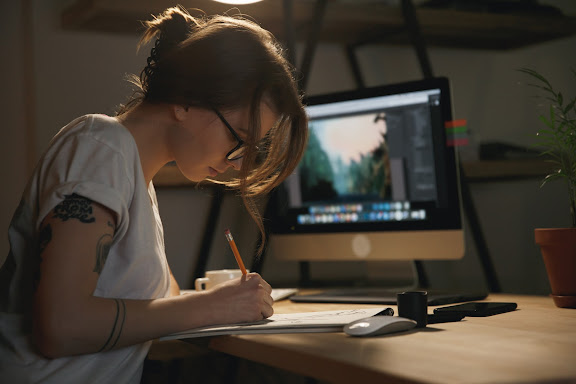
Looking to infuse your event planning journey with positivity? Look no further than myeventartist.com! Our website recognizes the critical role a positive mindset plays in achieving event success. Explore insightful articles, inspirational stories, and practical techniques that will help you maintain a positive outlook throughout your event planning process. From overcoming obstacles and managing stress to fostering collaboration and embracing creativity, we'll provide you with the tools to cultivate a mindset that breeds success. Remember, positivity is contagious and can profoundly impact your events. Visit myeventartist.com and discover how to harness the power of a positive mindset for exceptional event planning and execution.
Choose Quality Designers for Your Events with Expert Insights from myeventartist.com

Are you an event organizer searching for top-notch designers to elevate your events? Look no further than myeventartist.com! Our website provides expert insights and guidance on how to select quality designers who will bring your vision to life. Gain access to valuable tips, interview questions, and industry trends that will help you make informed decisions. From reviewing portfolios and past projects to assessing creativity and attention to detail, we'll empower you to choose designers who can deliver exceptional results. Don't settle for anything less than excellence - visit myeventartist.com and discover the keys to selecting top-quality designers for your events today!
Transform Your Apparel Brand with DIY Logo Printing Expertise from myeventartist.com

Ready to take your apparel brand to the next level? Look no further than myeventartist.com! Our website is a treasure trove of DIY logo printing expertise, specifically tailored for event designers and fashion entrepreneurs. Explore comprehensive guides, pro tips, and recommended tools to master the art of logo printing on apparel. From selecting the perfect materials to perfecting printing techniques, we'll equip you with the knowledge and skills to create professional-grade, eye-catching designs. Elevate your brand's visibility, build customer loyalty, and unleash your creativity with DIY logo printing from myeventartist.com. Get ready to make a lasting impression with custom apparel that reflects your unique style and vision.
Unleash Your Creative Brand on Apparel with DIY Logo Printing at myeventartist.com

Ready to showcase your unique brand on apparel? Look no further than myeventartist.com! Our website is your go-to resource for event designers and creative entrepreneurs seeking to print their own logo designs on apparel. Discover step-by-step tutorials, expert guidance, and insider tips on DIY logo printing techniques. From selecting the right materials to achieving professional-quality results, we'll empower you to bring your logo designs to life on t-shirts, hoodies, hats, and more. Get ready to make a statement and leave a memorable impression with your custom-printed apparel. Unlock your creative potential at myeventartist.com and start printing your own logo designs today.
Master the Art of Logo Editing for Event Designers at myeventartist.com

Are you an event designer looking to take control of your logo designs? Look no further than myeventartist.com! Our website is a valuable resource for event designers seeking to enhance their logo editing skills. Gain access to comprehensive tutorials, expert tips, and industry secrets that will empower you to create captivating logos with ease. Whether you're a beginner or an experienced designer, our platform offers the tools and knowledge you need to refine your logo editing abilities. Elevate your designs and showcase your unique style by mastering the art of logo editing at myeventartist.com.
Unleash the Artistry of Event Design with myeventartist.com

Ready to infuse your events with artistic flair? Look no further than myeventartist.com! Our platform is a haven for event organizers seeking talented designers who possess a unique artistic vision. Discover a diverse community of creative minds who specialize in transforming ordinary spaces into extraordinary experiences. From innovative decor concepts to immersive thematic experiences, these artistic event designers will captivate your attendees and leave a lasting impression. Step into the world of artistry and elevate your events to a whole new level of creativity at myeventartist.com.
Discover the Masters of Event Design at myeventartist.com

Ready to partner with the masters of event design? Look no further than myeventartist.com! Our website is a hub of creativity, connecting event organizers with extraordinary design talent. Explore a diverse portfolio of renowned designers who specialize in crafting immersive and visually captivating experiences. From elegant and sophisticated themes to bold and avant-garde concepts, these masters of design will transform your events into unforgettable spectacles. Don't settle for ordinary. Amp up the creativity and impact of your events by collaborating with the best in the industry at myeventartist.com.
Elevate Your Events with Premier Event Designers from myeventartist.com

Want to ensure your events leave a lasting impression? Turn to myeventartist.com for access to premier event designers who will elevate your gatherings to new heights. Our curated selection of talented designers boasts expertise in translating your vision into awe-inspiring experiences. From elegant decor to innovative concepts, they will create a harmonious blend of aesthetics and functionality. Don't settle for ordinary; collaborate with top-tier event designers at myeventartist.com and leave a lasting impression on your attendees. Unleash the full potential of your events today!
Unleash the Creative Brilliance of Event Designers at myeventartist.com

Are you seeking event designers who can turn your vision into a stunning reality? Look no further than myeventartist.com! Our website is a haven for creative brilliance, connecting event organizers with exceptional designers who specialize in crafting immersive experiences. From captivating themes to intricate decor, our talented designers will bring your event to life. Don't settle for ordinary - unleash the extraordinary with our curated selection of event designers at myeventartist.com. Elevate your events and leave a lasting impression on attendees that they won't soon forget!
Discover Top-notch Event Designers for Spectacular Experiences at myeventartist.com

Are you an event organizer in search of exceptional event designers to bring your vision to life? Look no further than myeventartist.com! Our website is your gateway to a network of talented, high-quality event designers who specialize in creating unforgettable experiences. From concept development to visual aesthetics, our curated selection of designers will transform your event into a captivating masterpiece. Don't settle for anything less than extraordinary - visit myeventartist.com and find the perfect event designer to elevate your next event to new height